Move To OneCamp With Your Fields Intact
If you're new here: OneCamp is a self-hosted workspace (chat, tasks, docs, calls, calendar and AI agents) that you install on your own server. It is open source and free for up to 25 people.
Earlier today OneCamp's tasks got fields of their own. Now the importers use them. If your team lives in monday.com, Asana or ClickUp, a good part of what you know about the work sits in columns and custom fields: a budget, a channel, a reviewer, a sign-off. Until now an import kept those as text in each task's description, at best. Now they come across as fields you can filter by.
What comes across
- monday.com: every column that isn't the item's status, owner, dates or tags. A second status column becomes a select, a dropdown a multi-select, a numbers column a number (or money, when its unit is a currency), and people, dates, checkboxes, links, ratings and text become fields of their own kind.
- Asana: each project's custom fields. Priority still becomes the task's priority.
- ClickUp: dropdowns, labels, numbers, money in any currency, dates, checkboxes, links, people, ratings and text.
- Notion: the database's other properties. A multi-select called Tags becomes the task's tags.
- Trello: the fields from the Custom Fields power-up.
- Jira: any custom field an issue in the project has a value for, story points included.
Options keep their colours, money keeps its currency, and each task keeps its values. If the project already has a field of that name, from an earlier import or made by hand, the import uses it rather than adding a second one.
Some things can't be a field: a formula the other tool works out for you, a person who isn't in your workspace, a link that's really a note like "TBD". Those values go into the task's description under Imported fields, as the other tool showed them, and the import's Errors list says why. Nothing a task held is quietly dropped.
Jira and Todoist imports work again
Both tools retired the APIs OneCamp's importers called: Jira its old issue search, Todoist its Sync API v9. Imports from either had stopped working, and because of a second bug the import's error list stayed empty, so nothing said why. Both importers now use the current APIs, and every warning or error an import meets is listed under Errors.
A faster first screen
The first time you open OneCamp, your browser now downloads about 40% less code before Home shows. The rich-text editor, the realtime client and an animation library used to come with every page. Now the editor arrives when you open a thread or a task, and the realtime client when the connection starts. The connection to your server is warmed while the page loads, too. On the demo, measured from India, Home now shows in 2 to 3 seconds once the edge cache is warm.
How to use it
- Admin → Import, pick the tool, and paste a token (where to find it is in the guide).
- Look over the plan, map the statuses, and run it.
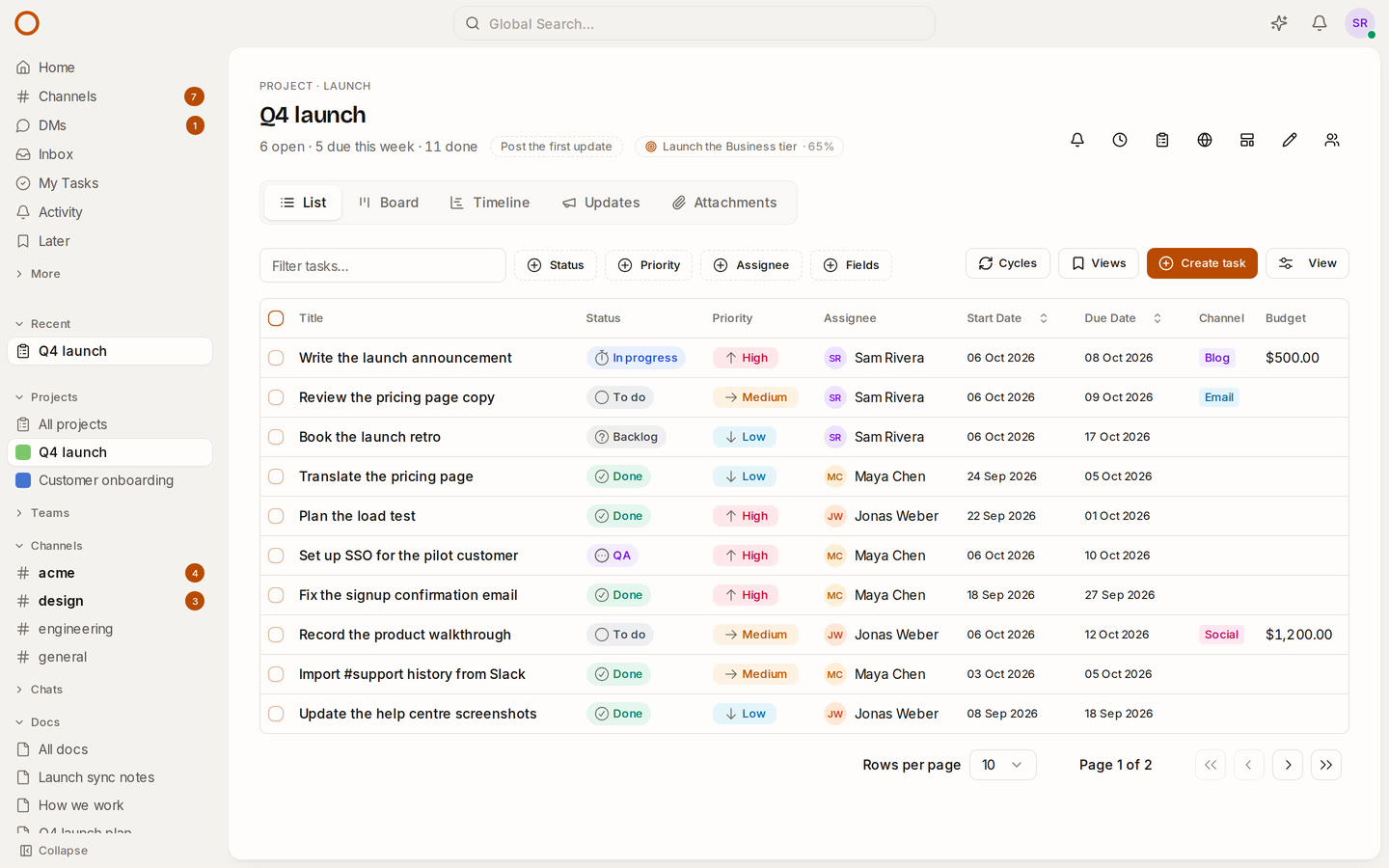
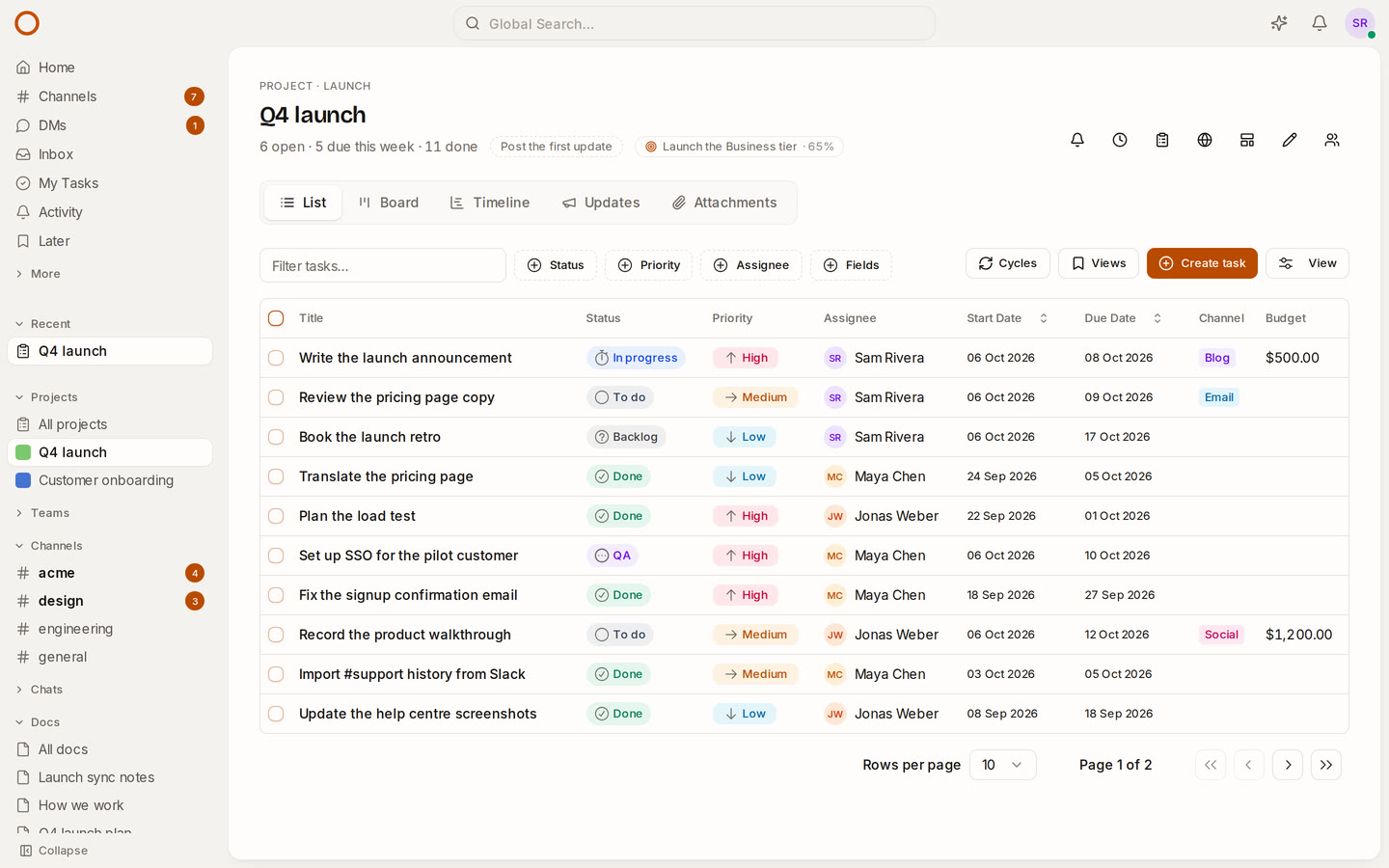
- Open a project: its fields are in each task's panel, as list columns, and as filters.
Changed your mind? Roll back takes away what the import brought in, fields included, unless someone on your team has started using one.
Try it
- Open the live demo to see custom fields on the Q4 launch project.
- On your own server: onemana.dev/free gives you the install command, no email needed.
- Already running OneCamp? Update to v2.64.0 (with AI) or v1.49.0 (without AI) before importing from Jira or Todoist.
Get the next one
I write these as I build OneCamp: what broke, what it cost, and what I changed.