Invoices You Can Follow To Paid
If you're new here: OneCamp is a self-hosted workspace (chat, tasks, docs, calls, calendar and AI agents) that you install on your own server. It is open source and free for up to 25 people.
OneCamp has made invoices from tracked time since v2.48, at each person's rate. But an invoice lived only as long as the browser tab: you printed it to a PDF, and from then on, whether it was paid was something you kept in your head, or in a spreadsheet. Now OneCamp keeps track.
Save it, send it, mark it paid
Make an invoice from a project's time report as before, then:
- Save draft keeps it, numbered next in the project's sequence (QL-0001, QL-0002, and so on), or with a number you type. A draft can still be changed or deleted.
- Save as sent, or Mark sent on a draft, when it goes to the client.
- Mark paid when the money arrives.
A sent invoice stays exactly as it was sent: its lines, its amounts, its dates. If one is wrong, Void it and make a new one. The void invoice keeps its number, so no number is ever used twice. Your accountant will thank you.
A saved invoice also keeps its lines as they were billed. Change a rate next month, and last month's invoice still says what you actually charged.
What's owed, at a glance
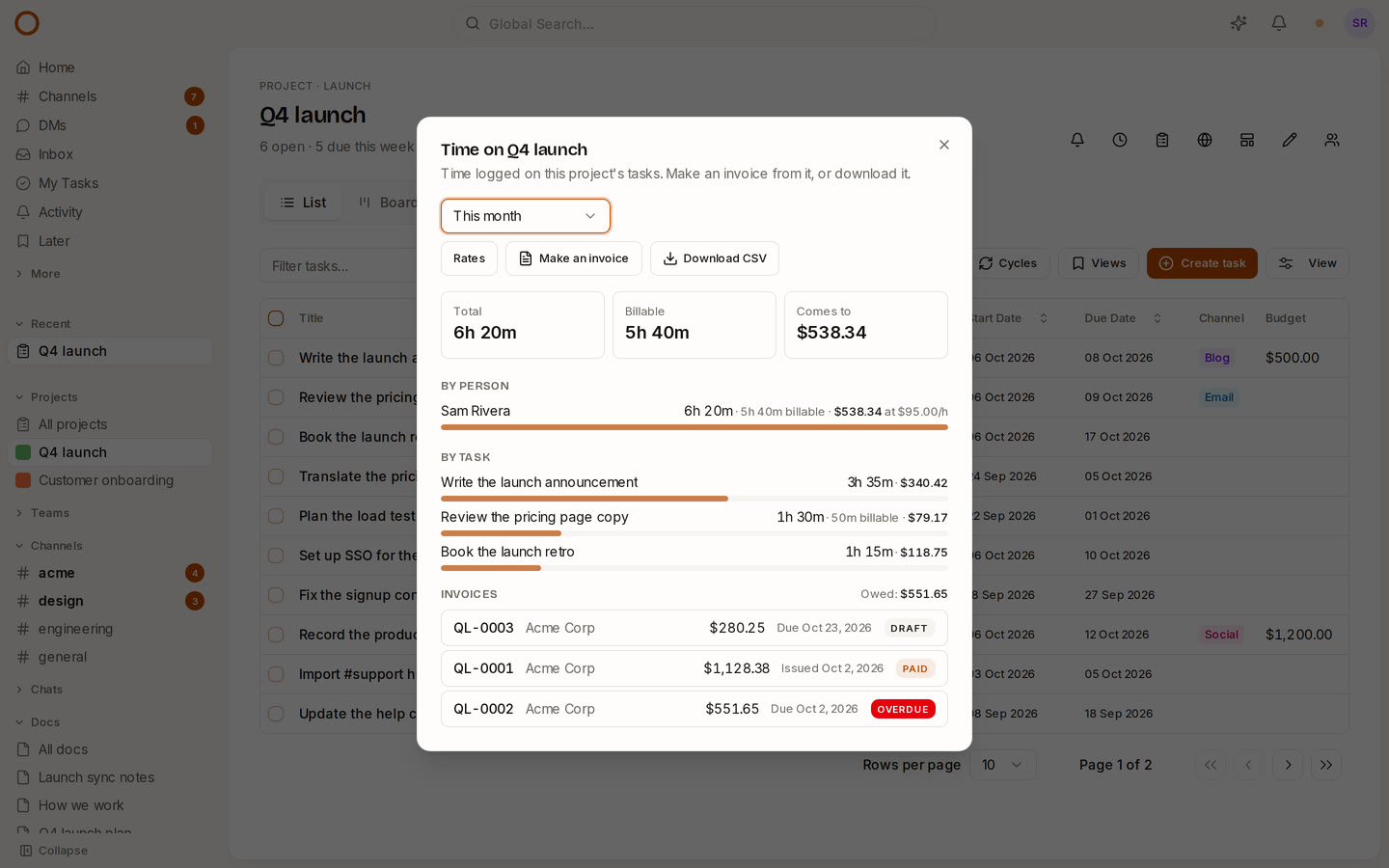
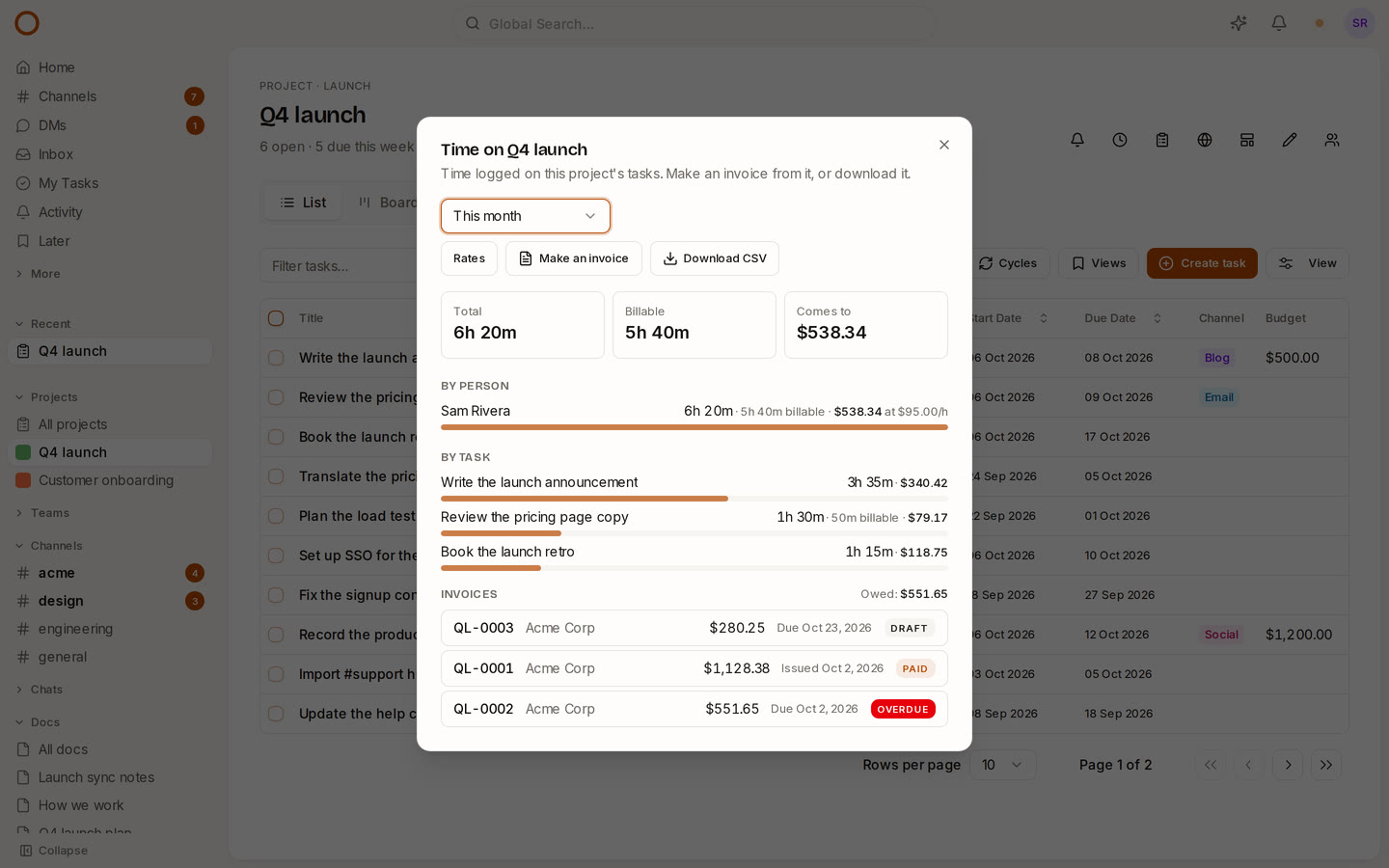
Each project's time report now lists its invoices: who they're for, what they come to, and whether they're a draft, sent, paid or Overdue, which is a sent invoice whose due day has passed. Above them, what's still owed, per currency.
Who sees it
Money stays with a project's admins, as rates do: everyone else's time report shows hours.
How it compares
Asana, Linear, Notion and Basecamp don't make invoices at all. Toggl makes one from tracked time, as a PDF, but doesn't track whether it was paid. OneCamp now makes the invoice from the project's own time and follows it to paid, on your own server, in every edition, the free one included.
Try it
- Open the live demo: the Q4 launch project's time report (the clock button) has a paid invoice, an overdue one and a draft.
- On your own server: onemana.dev/free gives you the install command, no email needed.
- Already running OneCamp? Update to v2.65.0 (with AI) or v1.50.0 (without AI).
Get the next one
I write these as I build OneCamp: what broke, what it cost, and what I changed.