Bill Your Time At The Right Rate
If you're new here: OneCamp is a self-hosted workspace (chat, tasks, docs, calls, calendar and AI agents) that you install on your own server. It is open source and free for up to 25 people.
OneCamp has tracked time on tasks for a while: timers, time added by hand, billable or not, a report per project, and an invoice made from it. What it didn't know was what an hour costs. You typed one rate on each invoice, for everyone. That works until the senior designer and the junior developer bill differently, which is most agencies.
Rates per project and per person
Open a project's Time report and choose Rates. Set:
- the currency,
- an hourly rate for everyone,
- and a rate of their own for anyone who bills differently.
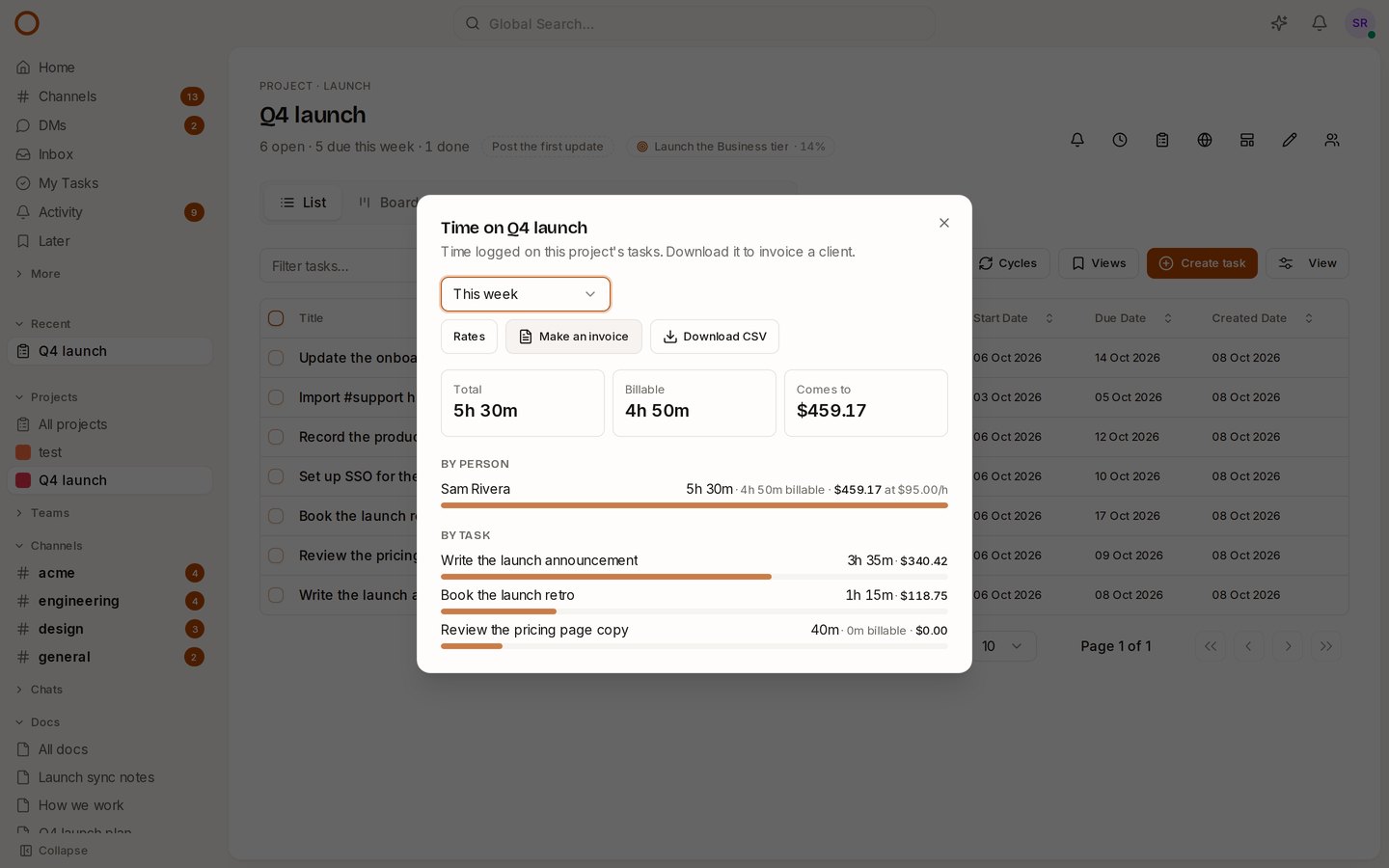
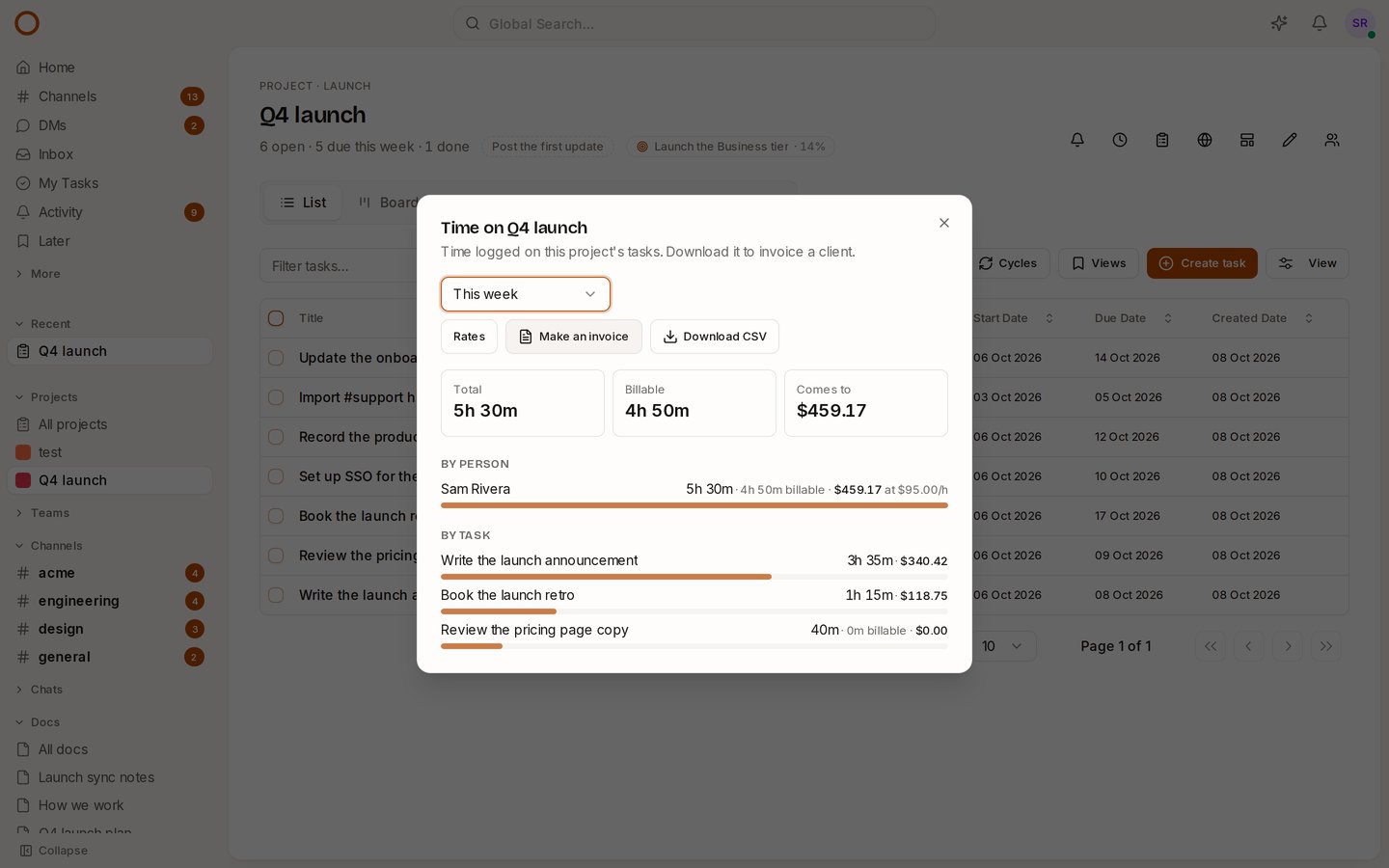
The report then says what the billable time comes to, and for each person and each task what their share is. Each person is charged at their own rate. A task two people worked on, at different rates, adds up correctly.
The downloaded CSV gets Rate and Amount columns too, for whatever accounting tool you use.
Invoices that start from them
Make an invoice now starts from the project's rates, in its currency:
- One line per person: each person at their rate.
- One line per task: a task worked at two rates gets a line for each.
Each line is its hours times its rate, so a client checking the arithmetic gets the same answer. A rate typed on the invoice still overrides the project's, for a fixed-rate client.
Who sees money
Only the project's admins see rates and money. Everyone else's report shows hours, as before.
Rates have no dates, so changing one re-prices time already logged. Make the invoice before you change the rate.
How it compares
Toggl Track keeps billable rates for its paid plans. In OneCamp they're in every edition, including the free one for up to 25 people. The time sits beside the tasks, chat and docs it was spent on, on your own server.
Try it
- Open the live demo, choose Q4 launch, then Time in the project's tools. The demo bills the team at $85 an hour and you at $95.
- On your own server: onemana.dev/free gives you the install command, no email needed.
- The guide: Time tracking.
- Already running OneCamp? Update to v2.60.0 (with AI) or v1.45.0 (without AI).
Get the next one
I write these as I build OneCamp: what broke, what it cost, and what I changed.