Sign In With Your Fingerprint, And Other Things That Stopped Getting In The Way
If you're new here: OneCamp is a self-hosted workspace (chat, tasks, docs, calls, calendar and AI agents) that you install on your own server. It is open source and free for up to 25 people.
Not every improvement is a feature with a name. This post covers one that is, passkeys, and several that aren't: places where someone trying OneCamp for the first time would hit a wall and, reasonably, stop.
Passkeys
A passkey signs you in with what your device already uses to unlock: a fingerprint, your face, or the PIN. There's no password to type, so there's nothing to reuse, leak or type into a fake page; a passkey only works on the site it was made for.
Add one. Open your profile, go to Security, and press Add a passkey in the Passkeys card. Your browser asks you to confirm, and the passkey appears in the list with the date you added it. Add one on each device you use, or keep one in a password manager that syncs (iCloud Keychain, Google Password Manager, 1Password, Bitwarden and others all do).
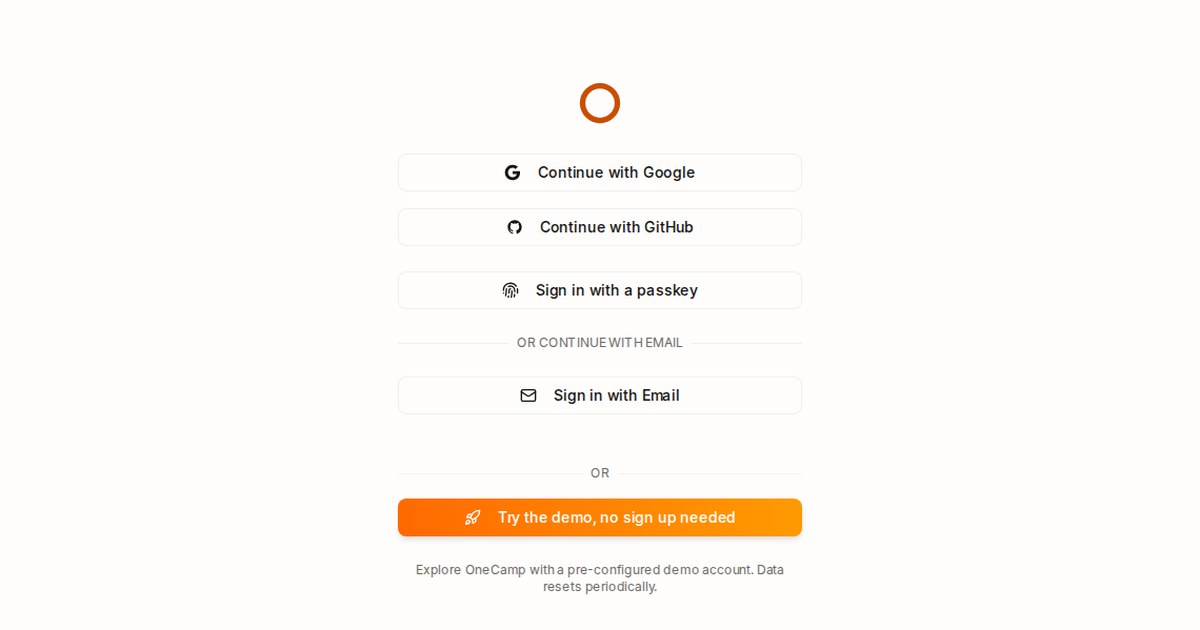
Use it. On the sign-in page, press Sign in with a passkey and confirm with your device. That's all. OneCamp doesn't then ask for a two-step code: a passkey is already two factors, the device you hold and you.
Rename or remove one with the pencil and bin beside it. Removing it stops it signing you in to OneCamp; delete it from the device or password manager too.
Two rules worth knowing, both deliberate:
- If your company signs you in through its identity provider (single sign-on), you keep using that. A passkey never outranks the company's sign-in, so removing someone there still removes them from OneCamp.
- Passkeys belong to the address you open OneCamp at. Move the workspace to a new domain and you add them again.
For whoever runs the server: passkeys need the web app's address in FE_HOST_DOMAIN, which make install already sets. More in the Passkeys doc.
Activity: people, agents or apps
When AI agents work in a workspace, they produce activity too: comments, mentions, reactions. The Activity page now has a row of choices above the list: Everyone, People, Agents and Apps. Pick People to see what your colleagues did without the agents' updates, or Agents to see what was done for you. The choice stays in the address, so a bookmark keeps it. (On the edition without AI, there's no Agents choice, because there are no agents.)
The first ten minutes, fixed
These are small, and each one could end a trial:
- Creating the first project. A new workspace has no team, and a project belongs to one. The new-project dialog used to hide the team picker and disable the button without saying why. Now it says a team is needed, creates the team, and carries straight on to the project. With only one team, it picks it for you, and once the project exists it opens.
- The setup checklist that a new admin sees on the home page now includes Start your first project, which opens that dialog directly.
- Names in any language. Channels, teams and projects take letters in any script, numbers, spaces, hyphens and underscores, from two characters up:
#qa,#launch-weekandविपणनall work. Doc titles take up to 120 characters with punctuation ("What's next?"), and people's names can be José, O'Brien or Li. The old rule refused all of these, and in one case allowed an underscore the server then refused. - On a phone, a project's page now has the time report, intake forms and client sharing; pop-up messages no longer cover the bottom navigation; and long activity titles end in an ellipsis instead of being cut mid-word.
Try it
The live demo has everything except passkeys, because the demo is one account shared by everyone who opens it, and a passkey added there would sit in the next visitor's settings. On your own server they work from the first sign-in: onemana.dev/free gives you the install command, no email needed.
Passkeys and the Activity filter arrived in OneCamp v2.46.0 (with AI) and v1.31.0 (without AI); the first-run fixes in v2.47.0 and v1.32.0.
Get the next one
I write these as I build OneCamp: what broke, what it cost, and what I changed.