Move Your Team Over, And Bring Everyone With It
If you're new here: OneCamp is a self-hosted workspace (chat, tasks, docs, calls, calendar and AI agents) that you install on your own server. It is open source and free for up to 25 people.
Moving a team to a new tool is two jobs: bringing the work over, and bringing the people over. OneCamp's importers have done the first for a while: Slack history, and projects and tasks from Jira, Asana, Trello, monday.com, Notion, Linear, ClickUp and Todoist. This release does the second, and makes the first hold up on a real migration.
Your people come across with your work
When an import finishes, the admin who ran it is told, wherever they are in OneCamp. It offers Invite the N people who came across:
- It lists the people the import found, and says why anyone isn't offered: already a member, already invited, gone from the tool you came from, or no real email address to send to (the tool didn't give one).
- It shows how many seats your plan has left, and how many invitation emails can go today. It ticks no more than both allow, and you can change the ticks.
- Whoever can't be emailed today still gets an invitation. Copy their link from Admin → Invitations and send it however you like.
Their imported messages and tasks are already theirs: when they join, the history is under their name, not a placeholder's. And a placeholder's profile now has Invite to the workspace, for anyone you missed.
The project you pick is the one that comes across
Pick one Jira project, Todoist project or Asana workspace, and that's all that comes across, with that Jira project's own people and category. Before, a Jira import brought people from the whole site. Asana asks which workspace instead of guessing.
A Slack import keeps your channels as they were
- Messages come across. A bug made every imported message fail; it's fixed.
- Slack's #general goes into your #general, as long as that still holds only its welcome post, and never into a #general you've shared with guests.
- Channels archived in Slack are archived here once their history is in.
- The admin running the import leaves the private channels they weren't in, and each private channel's admin is its creator in Slack, or its first member.
- Pressing Run twice starts one import, not two.
Every import has a way forward
- A token the provider refused is said in words, with Reconnect.
- A failed import can be planned again, or run again.
- An import waiting to be planned can be discarded, and one forgotten for a day is set aside.
- A pause the provider imposes, such as monday.com's daily limit, says when it lifts, and the import carries on then.
- Progress updates live for every provider, and your imports are listed before you pick one.
- An import's errors never keep the provider's key or token, even when the provider puts one in a URL.
Clients on a shared link reach your team
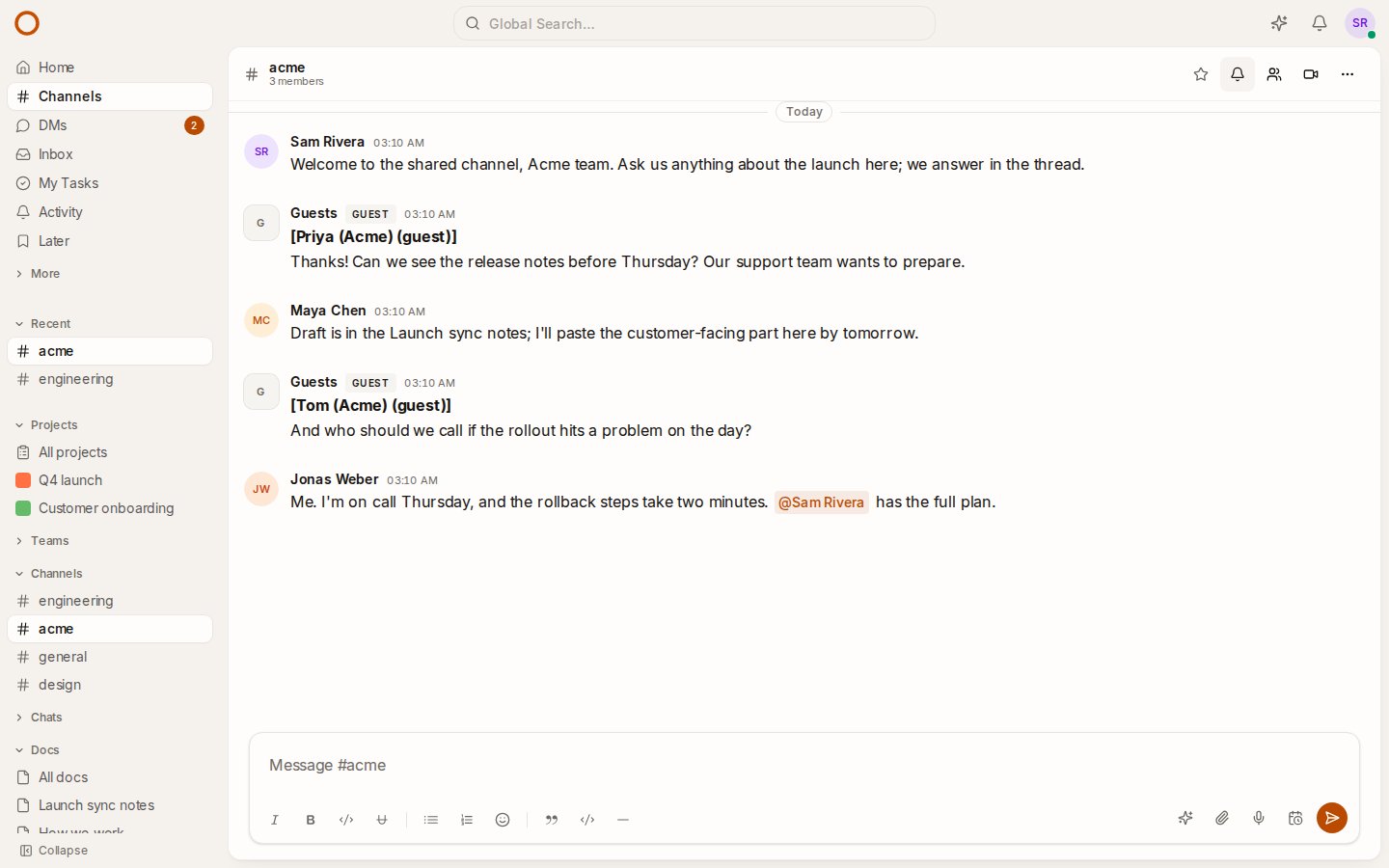
A guest link lets a client into one channel, project, doc or board without an account. Until now what they wrote there reached nobody until someone happened to look.
- A guest's message notifies the channel's members, as each person's channel setting says.
- A guest's thread reply notifies the thread's author and the people who replied.
- A guest's comment on a doc notifies the doc's creator and editors.
- A burst of messages notifies once per conversation every five minutes, not once per message.
And a shared link keeps working when things go wrong:
- A busy client has room: each kind of guest write has its own limit, per address and per link.
- When your server is busy or unreachable, the guest's page says so and keeps trying, less and less often. "This link is no longer available" means the link really is gone.
- A guest can't post into a channel you've archived.
Try it
- In Admin → Import, pick where you're coming from. The docs say what each provider needs.
- Try the live demo: #acme is a channel shared with a client.
- On your own server: onemana.dev/free gives you the install command, no email needed.
- Already running OneCamp? Update to v2.70.0 (with AI) or v1.55.0 (without AI) with
make update.
Get the next one
I write these as I build OneCamp: what broke, what it cost, and what I changed.