.png)
.png)
.png)
.png)
.png)
Products Item Code: ONECAMP-EA
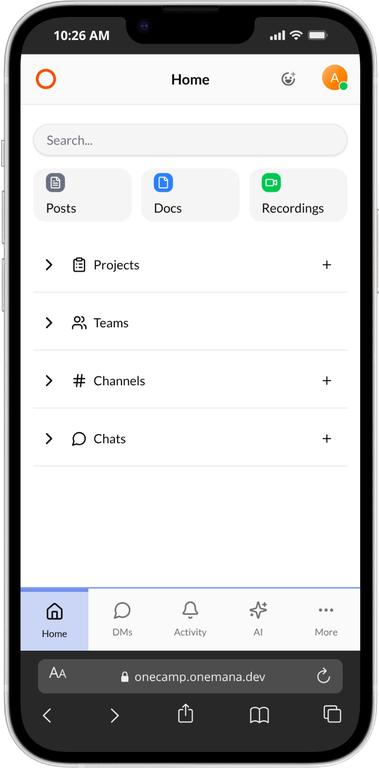
Team Chat
Real-time messaging, channels, threads, and direct messages.
Tasks & Boards
Kanban boards, lists, and powerful project management.
Video Meetings
High quality audio and video calls via LiveKit.
Documents
Collaborative rich text editing and wiki pages.
Calendar
Built-in calendar with bidirectional Google Calendar sync. Create events, invite participants, and sync tasks - all changes reflect instantly in both OneCamp and Google Calendar.
OneCamp AI
Built-in AI assistant powered by local LLMs (Ollama). Your workspace's secondary brain — search across chats, docs, and tasks with natural language. Create tasks, find information, and get meeting transcriptions. Runs 100% on your server, zero data leaves your infrastructure.
Why choose OneCamp?
- No Per-Seat Pricing: Pay once, add unlimited users. Save thousands over SaaS.
- Full Data Ownership: Your data never leaves your server. Complete privacy and control.
- Open Source Frontend: Fully transparent, customizable, and driven by community.
Server Sizing Guidelines
Recommended server configurations based on your team size and expected usage.
Container Architecture
OneCamp deploys as a set of Docker containers - each with a clear responsibility.
Server Setup & Requirements
OneCamp brings Chat, Tasks, Docs, Calendar, AI, and Video Meetings into one workspace - deployed on your own server. No per-seat pricing, no vendor lock-in. Just install it and invite your team.
Open Source Frontend
The OneCamp frontend is completely open-source and free to modify. Check out the code, contribute, or build your own client by visiting our GitHub Repository.
📦 Ready to deploy?
After purchase, check our setup documentation to get OneCamp running in under 5 minutes with a single docker command.