Seen: Read Receipts In DMs And Group Chats
If you're new here: OneCamp is a self-hosted workspace (chat, tasks, docs, calls, calendar and AI agents) that you install on your own server. It is open source and free for up to 25 people.
You send a colleague a question in a DM. An hour later, no answer. Did they see it and they're thinking, or is it sitting unread under twenty other messages? Slack never answered that question. Now OneCamp does.
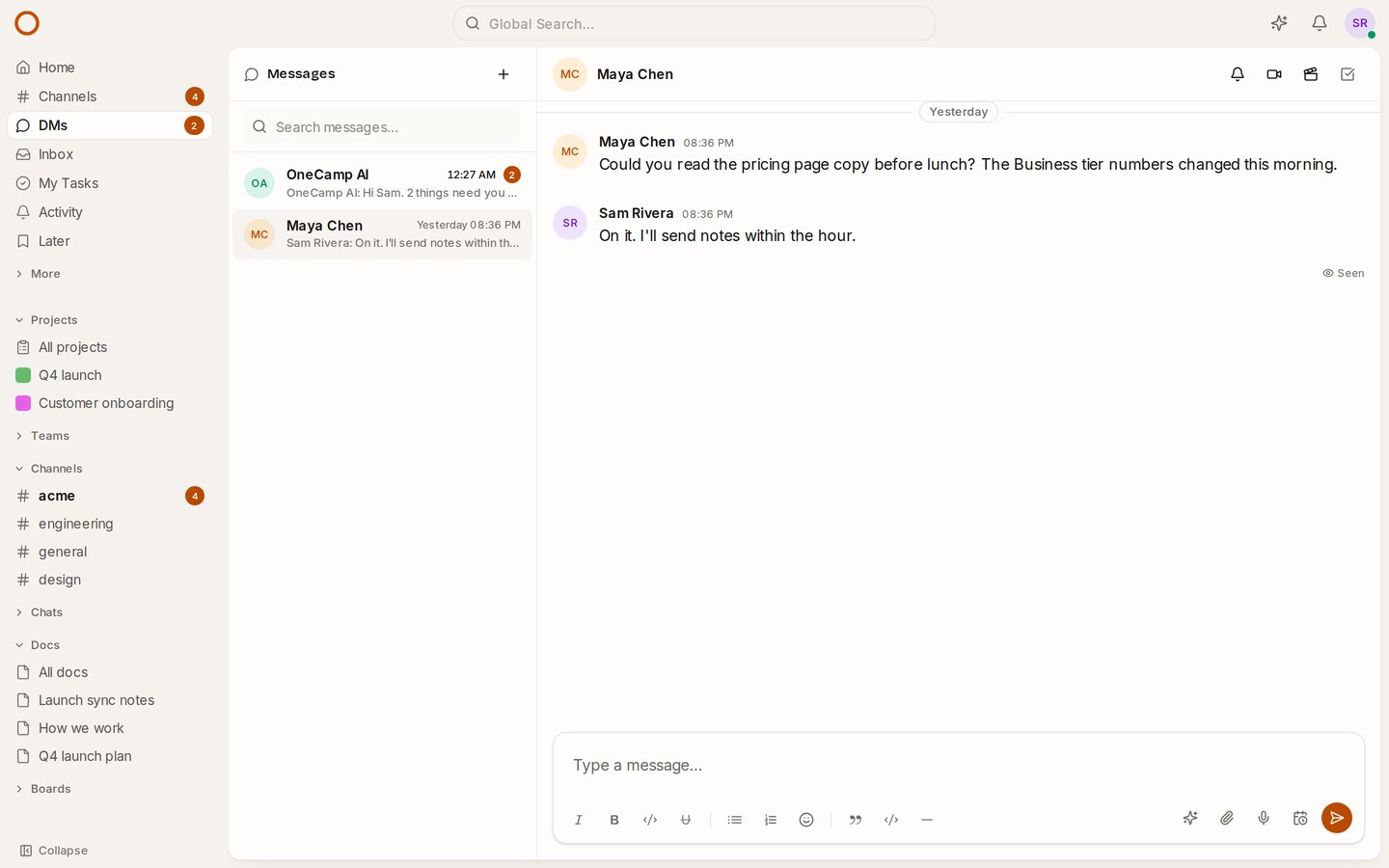
What you see
- In a DM, Seen appears under your latest message once the other person has read it. Point at it to see when.
- In a group chat, it says who: Seen by Maya and Jonas, or Seen by everyone once all of them have. Point at it for each person's time.
- It changes as people read. Nobody has to refresh.
It only sits under your latest message, while that's the latest in the conversation: once someone replies, the reply says it was read.
When a message counts as read
When the conversation is open on the other person's screen. A chat left open in a background tab doesn't count until they actually look at it, so "Seen" means seen.
Your choice, and your admin's
- Don't want people to know when you've read their messages? Settings → Notifications → Read receipts. With yours off, nobody sees when you've read theirs, and you don't see when they've read yours. Fair both ways, as in Teams.
- Admins can turn read receipts off for the whole workspace in Admin → General. The change goes into the audit log.
- In groups of more than 20 people there are none: a list of who has read what in a crowd is just noise. Channels don't have them either.
How it compares
Slack and Mattermost don't have read receipts. Microsoft Teams has them, with an admin policy and a 20-person limit; Google Chat has them with no way to turn them off; Zulip has a switch for the organisation and one for each person. OneCamp works like Teams and Zulip, a switch for the workspace and one for each person, on your own server and in every edition, the free one included.
Try it
- Open the live demo and open your DM with Maya Chen: she has read your last message, so it says Seen.
- On your own server: onemana.dev/free gives you the install command, no email needed.
- Already running OneCamp? Update to v2.66.0 (with AI) or v1.51.0 (without AI).
Get the next one
I write these as I build OneCamp: what broke, what it cost, and what I changed.