I spent a week comparing my agents to everyone else's. Then I let theirs in.
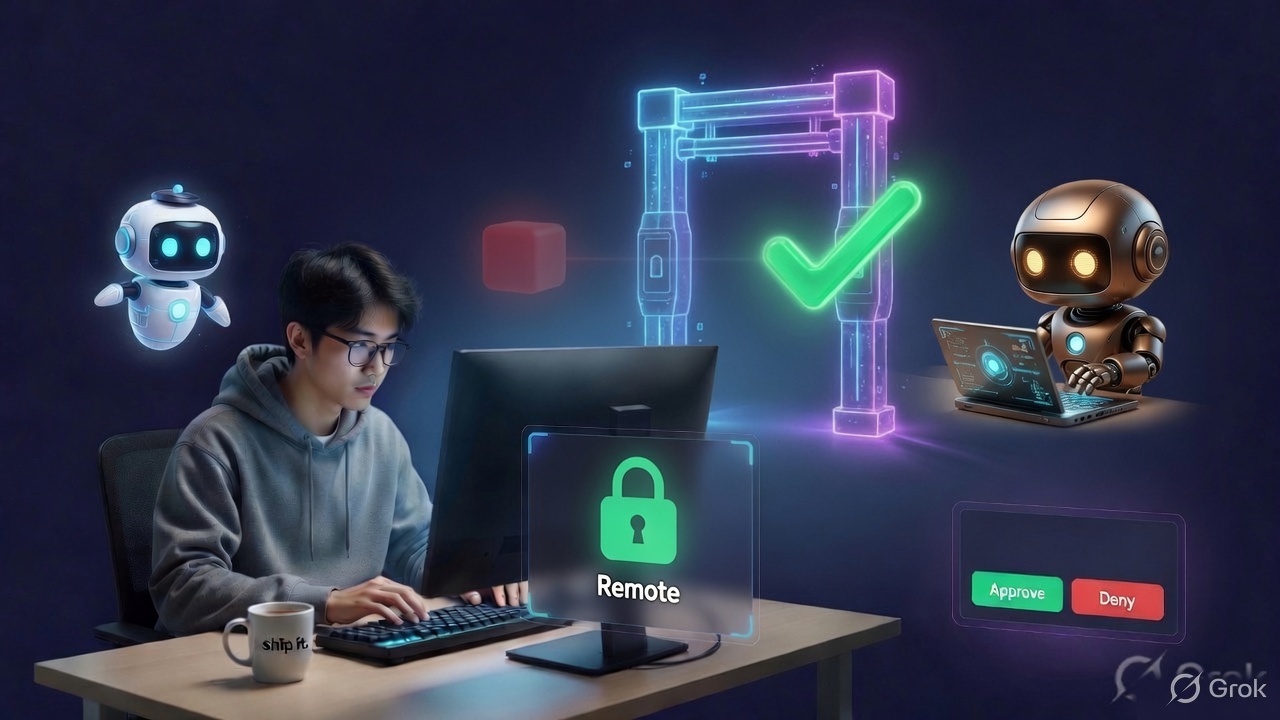
If you're new here: OneCamp is an open-source, self-hosted workspace (chat, docs, tasks, projects, calls, boards, tables, an API) that runs on your infrastructure. I build it, sell it, and operate the demo.
This summer a new shape of product arrived: the AI coworker that gets a computer of its own. A browser it drives, a shell it runs, logins it holds. I spent a week with them, including reading one of them line by line, because I wanted an honest answer to a question I had been avoiding.
What can they do that mine cannot?
The honest list
Four things, and none of them are marketing.
They own a machine. My agents act through tools I wrote. Theirs open a browser, log in as you, and click. That is a genuinely larger surface, and I am not going to pretend otherwise.
You can take the wheel. When the agent gets stuck on a page, a person can drop into the same session, do the tricky bit by hand, and hand it back. Mine can stop and ask you a question. It cannot hand you the mouse.
They answer with components, not paragraphs. A table renders as a table. A chart renders as a chart.
And they take any agent you have already built. This is the one that mattered.
That last one works because of a protocol called AG-UI. An agent written with LangGraph, CrewAI, Mastra, Pydantic AI, Google's ADK or by hand all arrive the same way: one request carrying the conversation and the tools on offer, answered with a stream of events carrying text and tool calls back. OpenBot, the open-source one I read, passed 3,500 GitHub stars in its first fortnight.
What I had that they did not
I did this half of the list too, because a comparison where you only win is a comparison you did wrong.
Mine live inside a workspace. An agent's permissions are not configured, they are the live membership of the person it acts for. If you lose access to a channel this afternoon, its agent loses it this afternoon, with no policy to update.
Every action is written to a hash-chained audit log before it happens, and a write that fails refuses the action. There is a retention floor, an evidence pack, and an export where every row carries the hash of the row before it. There is a local-only mode where no content leaves your network. There is an AI-free edition for the buyers who want none of this. And it is one payment for unlimited users on your own server.
So: they had reach, I had a record.
The move I did not make
The obvious response is to build the missing features. Give my agents a browser. Build take-the-wheel.
I did something smaller. I let their agents in.
Here is the thing about AG-UI that decided it. The remote agent publishes no tools of its own. Every tool comes from the caller. It is handed a list, it decides which one to call, and it ends its run to ask for it.
That is not a foreign shape. That is exactly the shape of my own agent loop. My runner hands a model a list of tools, the model asks for one, and the call goes through the allow-list, the scope check, the autonomy gate, the destructive-action backstop and the audit row before anything happens.
So the remote agent is not a new kind of thing in OneCamp. It is a provider, in the slot where a model goes.
Which means the rules are not copied, they are unavoidable
This is the whole argument, so let me be concrete.
You point a OneCamp agent at an AG-UI endpoint. That agent's reasoning now happens on somebody else's machine, with somebody else's model, in somebody else's framework. Everything after the reasoning is mine: which tools it may call, which channels and projects it may touch, whether a write needs a human to approve it, whether a destructive action gets queued regardless of autonomy level, and the row in the audit log that gets written before the action rather than after.
There is no second code path to keep in sync, because there is no second code path.
Here is the run I used to check it, against a throwaway agent I wrote for the purpose. The agent is allowed web_search and nothing else. The remote asked to send a direct message.
step 1  browser_open   remote   result: opened example.com on my machine
        send_dm        local    skipped: tool not permitted for this agent
                                governance: blocked
step 2  "The workspace answered my send_dm with:
         skipped: tool not permitted for this agent"
Two things in there are worth more than the feature.
The refusal went back to the remote as a tool result, so it knew, corrected itself and said so. It did not silently fail and narrate a success.
The browser_open line is marked remote. That is work the agent did on its own computer. I did not run it, and I could not have refused it. It is in the transcript because leaving it out would make the record incomplete, and it is marked because pretending I governed it would be a lie. It is also excluded from the count of actions this workspace took, for the same reason.
The audit row for that run carries remote_brain: agui:bots.example.com. The host and nothing else: the path can carry a routing token and the secret never goes near a row that lives forever.
Then I read the specification properly and found three bugs
I built this from the protocol's shape and one reference implementation. Afterwards I sat down with the actual event list, which is the correct order to do those two things in and not the order I did them in.
The state was silently freezing. AG-UI carries an agent's own scratchpad two ways: a whole snapshot, or a patch against the last one. The frameworks with shared-state features lean on patches. My client read snapshots and dropped patches.
The cause is the nicest bug I have hit this year. One field name, delta, carries two types. On a text event it is a string. On a state event it is a JSON Patch array. I had typed it as a string in Go, so a state patch failed to decode, and my code skipped events it could not decode, which is a sensible rule that here meant an agent's state froze at the first snapshot and it was handed back a document it never wrote for the rest of the run.
Nothing errored. Nothing logged. The type declaration was the bug.
A remote that answers on the end-of-run event got silence. The protocol lets a run carry its result on RUN_FINISHED instead of streaming it. My client returned an empty reply, which is precisely the failure the rest of that file exists to prevent.
And I had three copies of an SSE reader. The MCP client had grown its own, I wrote another, and only one of them handled multi-line frames correctly. That is now one function, and the MCP one stops at the reply it came for instead of draining the rest of the stream, which it had never had a test for in the first place.
The one I should have built first
An admin pastes an endpoint and a secret, saves, and finds out whether it works from a failed run somebody notices later.
There is now a Test connection button next to the field. It runs the real client against the real endpoint with the real credential, so what it proves is what a run would do. It reports what came back: the remote's own reply, or remote answered 401, or, if you typed a cloud metadata address, that the address is blocked and why. An agent you have already saved is tested without retyping a secret the client never sees, because the server still has it.
While I was in there I fixed a quieter dishonesty. Every agent has a daily token limit. For a remote agent that limit did nothing, because the model spend happens on somebody else's account and this workspace cannot see it. The field now says so.
Try it in ten minutes
Everything below I ran against my own demo while writing this, and the outputs are copied from those runs.
1. Stand up something to point at
This is the whole agent. It publishes no tools, asks OneCamp to run one of its, and reports what OneCamp said back. Python standard library, no dependencies.
# agent.py   ->   python3 agent.py
import json
from http.server import BaseHTTPRequestHandler, HTTPServer

TOKEN = "change-me"

class Agent(BaseHTTPRequestHandler):
    def do_POST(self):
        if self.headers.get("x-agent-token") != TOKEN:
            self.send_response(401); self.end_headers(); return
        run = json.loads(self.rfile.read(int(self.headers["content-length"])))
        self.send_response(200)
        self.send_header("content-type", "text/event-stream")
        self.end_headers()

        def send(event):
            self.wfile.write(f"data: {json.dumps(event)}\n\n".encode())
            self.wfile.flush()

        send({"type": "RUN_STARTED", "threadId": run["threadId"], "runId": run["runId"]})

        # Anything OneCamp already ran for me comes back as a tool message.
        answered = [m for m in run["messages"] if m.get("role") == "tool"]

        if not answered:
            # Ask OneCamp to run one of ITS tools. I have none of my own, and I
            # ask whether or not it was offered, so you can watch both outcomes.
            send({"type": "TOOL_CALL_START", "toolCallId": "c1", "toolCallName": "web_search"})
            send({"type": "TOOL_CALL_ARGS", "toolCallId": "c1",
                  "delta": json.dumps({"query": "onecamp self hosted"})})
            send({"type": "TOOL_CALL_END", "toolCallId": "c1"})
        else:
            said = answered[-1]["content"]
            send({"type": "TEXT_MESSAGE_START", "messageId": "m1", "role": "assistant"})
            send({"type": "TEXT_MESSAGE_CONTENT", "messageId": "m1",
                  "delta": f"OneCamp answered my tool call with: {said}"})
            send({"type": "TEXT_MESSAGE_END", "messageId": "m1"})

        send({"type": "RUN_FINISHED", "threadId": run["threadId"], "runId": run["runId"]})

    def log_message(self, *a): pass

HTTPServer(("0.0.0.0", 4200), Agent).serve_forever()
It has to be reachable from your OneCamp container. If you run it on the same host, that is your Docker bridge address rather than localhost, which you can find with {% raw %}docker inspect <your-onecamp-api-container> -f '{{range .NetworkSettings.Networks}}{{.Gateway}} {{end}}'{% endraw %}. On mine that is 172.21.0.1, so the endpoint is http://172.21.0.1:4200/ag-ui.
If you already have a LangGraph, CrewAI, Mastra or Pydantic AI agent with an AG-UI endpoint, skip this step and use that instead. That is the entire point.
2. Point an agent at it
Settings, then Agents, then New agent. Give it a name and one line of instructions. Under Tools, tick web_search for now. Open Advanced and fill in:
- Remote agent (AG-UI endpoint):
http://172.21.0.1:4200/ag-ui - Auth header:
x-agent-token - Secret:
change-me
Press Test connection. You should get the remote's own reply back. If you get remote answered 401 the token is wrong, and if you get a message about a blocked address you have pointed it at link-local or cloud metadata, which is refused before the request is made.
Save it. The agent now shows a Remote badge in the list.
3. Run it, and watch a tool actually run
Hit Run test with any prompt. On my demo, where web search has no API key configured:
OneCamp answered my tool call with: error: web search is not configured for this workspace
That is the tool being permitted, executed, and failing on its own terms. Governance said yes; the tool said no.
4. Now take the tool away, which is the part worth seeing
Edit the agent, untick web_search, tick anything else, save, and run it again.
OneCamp answered my tool call with: skipped: tool not permitted for this agent
The remote asked for the same thing. This time it never happened, the refusal went back to the remote as a tool result so it could correct itself, and the reason is a row in your audit log. Nothing about the remote changed. Everything about the permission did.
5. Read the record
Expand the run in the agent's history. You get the steps, every tool call, and a remote badge on anything the remote ran on its own machine.
Then Admin, Settings, Audit log. The agent.run row carries which agent, which human it acted for, what it was refused, and remote_brain naming the endpoint's host.
What to change for a real one
Give the remote agent an autonomy level of Approval if you want every write proposed to a person first, set its Scope to the channels and projects it may touch, and leave the destructive-action backstop alone: it queues irreversible actions for a human regardless of autonomy, including for remote agents.
What this is actually for
Two kinds of buyer, and they want opposite things.
The one who has already built an agent, in the framework their team knows, does not want to rebuild it in my builder. They want somewhere it can act that keeps a record.
The one who has not built anything wants agents that work out of the box, which is what the builder has always been for.
Before this, I was asking the first buyer to throw their work away. Now the pitch to them is one sentence: bring the agent you built, and it works under your workspace's rules.
Still open
The list where I am honest, because a changelog with only wins is an advert.
I cannot meter what the remote spends. Its model calls happen on its account. The per-agent daily token cap does not apply, and saying so in the interface is honesty, not a solution. If I want a real ceiling on a remote agent it has to be counted in runs or calls rather than tokens, and I have not built that.
No take-the-wheel. A person still cannot drop into a remote agent's browser session mid-run, because it is not my browser session. What a person can do is interrupt, steer and stop the run, which I shipped earlier and which still applies.
The remote's own work is recorded, not governed. I say this plainly in the interface and in the transcript, and I would rather say it than quietly imply otherwise. If you need every action governed, give the agent no computer of its own and let it call only my tools. That is a real configuration, not a consolation prize.
One reference implementation is not the ecosystem. I have tested against a handful of endpoints and the protocol's own event list. The first bug report from somebody running a framework I have not tried will teach me something.
If you try it against your own agent and it breaks, tell me what it sent. That is the fastest way this gets better.
The other post from this fortnight: every agent row said who it acted for, none said whether anyone was watching.
OneCamp is an open-source, self-hosted workspace: one payment, unlimited users, your server. Find it at onemana.dev.
The product behind these posts
OneCamp is your team's chat, docs, tasks and calls in one open-source app on your own server, with AI agents that can only do what you can.
No sign-up · Free for up to 25 people
Get the next one
I write these as I build OneCamp: what broke, what it cost, and what I changed.